
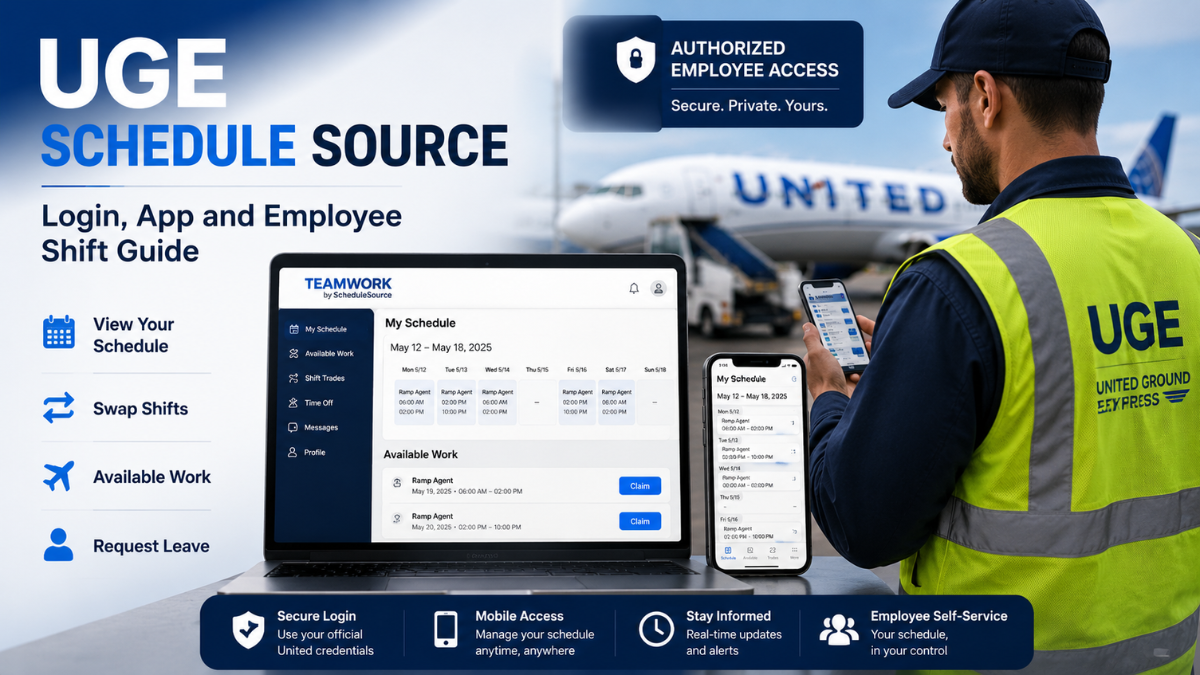
UGE Schedule Source generally refers to the ScheduleSource TeamWork workforce management system used for employee scheduling in connection with United Ground Express, commonly abbreviated as UGE. Employees use the system to check assigned shifts, review available work, manage shift swaps, request leave, and access other scheduling functions that their organization has enabled.
For employees who simply need to reach their schedule, the most important point is that this is not a public scheduling website where anyone can create an account. Access depends on credentials and permissions provided through the employer. United also maintains a Flying Together sign-on endpoint specifically for ScheduleSource, providing an official route into the service for authorized users.
ScheduleSource calls its workforce management platform TeamWork. The company describes TeamWork as a configurable system covering staff scheduling, shift and vacation bidding, leave management, time and attendance, employee self-service, reports, alerts, and mobile access. ScheduleSource specifically markets the platform for airline operations as well as healthcare, education, contact centers, and other organizations with complicated staffing requirements.
What Is UGE Schedule Source?
UGE Schedule Source is best understood as an employee-facing use of ScheduleSource TeamWork rather than a completely separate software product named “UGE Schedule Source.”
United Ground Express officially uses UGE as its abbreviation. The company describes itself as part of the United Airlines family and says it provides airport ground-handling services across more than 60 line stations and four hub locations in the United States.
ScheduleSource, meanwhile, develops the TeamWork platform used for workforce scheduling and related labor-management processes. ScheduleSource says it was founded in 1999 and has spent more than two decades developing systems for organizations with complex staffing requirements, including airlines.
This distinction matters because some third-party pages describe “UGE Schedule Source” as though it were the formal name of a standalone software product. Current official ScheduleSource materials instead identify the product as ScheduleSource TeamWork.
There is also no good reason to interpret UGE in this employee context as “Universal Grid Engine.” Current official ScheduleSource materials reviewed for this guide describe the software as TeamWork and do not identify “Universal Grid Engine” as the meaning of UGE. United Ground Express itself explicitly uses UGE as the abbreviation for United Ground Express.
For an employee searching “UGE Schedule Source,” the practical meaning is therefore much simpler: you are probably looking for the scheduling system associated with your UGE work schedule.
UGE Schedule Source Login
Authorized users can reach the United Flying Together login associated with ScheduleSource. The sign-in page requests a United uID or username and password and identifies itself as part of United’s employee resource environment.
After authentication, the exact screens and functions available can depend on your account, work location, role, permissions, and the way your organization has configured TeamWork.
That last point is important. ScheduleSource repeatedly describes TeamWork as configurable. Two employees using the same underlying platform may therefore see different menus or capabilities. A feature being available in TeamWork does not automatically mean it has been enabled for every UGE employee or every station.
Employees should also avoid using unofficial sites that imitate an employee portal or ask for United credentials. United’s official sign-on notice states that assigned user IDs should not be shared with other people.
What Can Employees Do in ScheduleSource TeamWork?
The main purpose of TeamWork’s employee portal is to give workers direct access to scheduling information and common workforce-management actions.
ScheduleSource’s current mobile documentation says employees can view schedules by day, week, or month. Depending on employer permissions, workers may also be able to see fuller team schedules, view available shifts on the Swapboard, post their own shifts, claim eligible shifts, view colleagues’ contact information, request leave, receive scheduling notifications, and update profile information.
The current Google Play listing similarly says the TeamWork app supports viewing current, future, and past shifts. It can allow employees to add or remove future shifts from the Swapboard, split or merge shifts, see available shifts, and validate whether a shift can be claimed under employer scheduling rules.
This rule validation is particularly useful in workplaces with complicated scheduling requirements. A shift may appear open but still be unavailable to a specific worker because of qualifications, scheduling rules, existing assignments, rest requirements, location restrictions, or other employer-defined conditions.
ScheduleSource also supports leave management. Employees may be able to view previous and upcoming leave requests, create new requests, check their status, or cancel them where permitted. The specific types of leave displayed are determined by the organization rather than by ScheduleSource universally.
How the UGE Shift Swapboard Works
The Swapboard is one of the most useful TeamWork features for employees whose organization has enabled it.
In basic terms, it provides a controlled way to make shifts available to other eligible workers or claim shifts that need coverage. Rather than relying entirely on informal messages between coworkers, the scheduling system can check a potential shift change against employer rules.
ScheduleSource documentation says the Swapboard can display both unassigned shifts and shifts posted by employees. Before a worker claims an available shift, TeamWork can validate that shift against the organization’s scheduling rules.
The mobile system can also support splitting shifts. For example, an employee may not be able to take an entire available shift but could potentially claim part of it when the organization’s configuration permits that action. ScheduleSource’s HelpDesk documentation describes the app as supporting both claiming and splitting available shifts.
An important real-world limitation is that seeing an open shift does not necessarily mean you are entitled to work it. Employer scheduling rules and approval processes remain relevant. Employees should rely on the status shown in TeamWork rather than assuming that selecting a shift automatically changes their official work assignment.
Time and Attendance Features
TeamWork is more than a digital calendar. ScheduleSource offers time and attendance functionality alongside scheduling.
The company describes its time and attendance system as supporting online clocks, real-time attendance information, and payroll exports.
The current Apple App Store description also says organizations can make a time clock available through the TeamWork mobile app and can enable location-based clocking.
However, employees should not assume mobile clock-in is available simply because the app supports it. Location-based time clocking and related functions depend on organizational configuration.
If your station requires another approved clocking method, continue following your employer’s instructions rather than treating the mobile application as a replacement.
How to Use the ScheduleSource TeamWork Mobile App
ScheduleSource provides an official TeamWork application for Android and Apple devices.
The mobile app is not automatically available to every TeamWork customer. The current app listings state that an organization must have an active TeamWork account and must request or enable mobile app access. The current listings also reference TeamWork release 2023.1 or later for app access.
For organizations using the standard TeamWork mobile setup, ScheduleSource’s HelpDesk explains that employees may need a one-time mobile key. That key can be obtained from the organization’s TeamWork website under the mobile-app information area. The employee then enters the required TeamWork code and normal login credentials.
ScheduleSource also says its mobile platform can support single sign-on, so the exact authentication flow may be different when an employer integrates TeamWork with its own identity system.
This is why generic instructions found on unrelated websites can be misleading. The correct setup is the one provided through your employer’s TeamWork environment.
Schedule Notifications and Shift Updates
The TeamWork mobile app can send push notifications for certain workforce events.
ScheduleSource says users may receive notifications when shifts become available, when an assigned shift changes, when Swapboard activity occurs, or when the status of a leave request changes. The company’s mobile product page also references notifications involving swaps, trades, leave approvals, and general company messages.
Notifications are useful, but they should not be treated as the only way to verify your official work schedule.
Device notification settings can change, app permissions can be disabled, connectivity can fail, and an organization may not activate every alert type. When attendance matters, checking the schedule directly in the authorized system remains safer than relying exclusively on a push notification.
How to Request Time Off
When leave management is enabled, TeamWork provides a centralized way to submit and track time-off requests.
ScheduleSource’s employee documentation says the Leave area displays existing requests and their current status. Employees can use the interface to create a new request, while the available leave categories depend on the organization.
A submitted request should not automatically be interpreted as approved leave. Employees should check the request status and follow their workplace’s attendance and approval policies before assuming they are excused from a scheduled shift.
This is one of the areas where TeamWork helps reduce ambiguity. Instead of relying only on a verbal conversation or an informal message, the employee can see the recorded status inside the workforce system.
What to Do If UGE Schedule Source Is Not Working
Login problems can come from several places, including an incorrect password, expired credentials, account permissions, browser settings, an employer-side configuration issue, or temporary system problems.
ScheduleSource’s own sign-in guidance recommends obtaining the correct TeamWork URL from the organization’s administrator. Its support documentation also notes that JavaScript and cookies need to be available for normal web access.
For users authenticating through United’s Flying Together environment, United provides password assistance through its Digital Technology Service Desk. The current United login page lists 847-700-5800 and the U.S. toll-free number 800-255-5801 for password setup or reset assistance.
If you can successfully authenticate but your schedule, Swapboard, leave balance, or another employment-related item appears incorrect, the issue may require assistance from the appropriate UGE scheduling, management, HR, or local administrative team rather than ScheduleSource itself. ScheduleSource provides the software, but your employer controls workforce records and many configuration decisions.
Why an Available Shift May Not Be Claimable
One common source of confusion is seeing a shift on the Swapboard but being unable to claim it.
This does not necessarily mean the system is malfunctioning. ScheduleSource specifically says available shifts can be evaluated against the employer’s scheduling rules before an employee is allowed to claim them.
In practice, an employee may therefore encounter a shift that exists in the system but does not satisfy the rules attached to their account.
The exact reason cannot be determined from ScheduleSource’s general documentation because those rules are configured by individual organizations. If TeamWork says you are not eligible for a particular shift and the reason is unclear, the appropriate next step is to check with the scheduling authority at your workplace rather than attempting to bypass the restriction.
Is UGE Schedule Source Free?
UGE employees normally do not need to purchase a personal TeamWork subscription to access an employer-provided schedule.
ScheduleSource describes the mobile app as being for employees of organizations that already maintain a current TeamWork account. Access is therefore tied to the organization’s TeamWork environment rather than an employee independently purchasing the scheduling software.
For businesses considering TeamWork as workforce-management software, licensing and commercial arrangements are a different matter. Those purchasing questions are separate from the normal employee intent behind searches for “UGE Schedule Source.”
UGE Schedule Source Compared With Other Scheduling Apps
ScheduleSource TeamWork operates in the same broad workforce-management category as platforms such as Deputy, UKG, Paycom, and TimeTrex, but that comparison has limited value for most UGE employees.
An employee generally cannot replace an employer’s official scheduling system with a different workforce app. Your schedule, shift eligibility, attendance records, leave information, and organizational rules exist in the system selected and configured by your employer.
For that reason, someone searching for UGE Schedule Source usually needs access instructions and practical troubleshooting more than a long software comparison.
From an employer’s perspective, ScheduleSource emphasizes capabilities intended for complicated workforces, including scheduling automation, shift and vacation bidding, leave management, time and attendance, forecasting, reporting, workforce integrations, employee self-service, and airline operations.
Is ScheduleSource TeamWork Only for United Ground Express?
No. TeamWork is a ScheduleSource product used across multiple types of organizations.
ScheduleSource publicly promotes the platform for airline operations, healthcare systems, universities, contact centers, and other employers with demanding staffing requirements. The company says it serves more than 450 customers and specifically identifies leading airlines among the organizations using its workforce systems.
The phrase “UGE Schedule Source” is therefore contextual. It connects the ScheduleSource platform with United Ground Express from the employee’s perspective, but TeamWork itself is not limited to UGE.
Is There a Separate UGE Schedule Source Website?
Employees should be careful with this question because search results can contain websites that use terms such as “UGE Schedule Source,” “UGE ScheduleSource login,” or similar wording without being operated by United Ground Express, United Airlines, or ScheduleSource.
The existence of a website containing the keyword in its domain name does not make it an official employee portal.
For United-connected access, the strongest starting point is the United Flying Together sign-on associated with ScheduleSource. For information about the software itself, ScheduleSource’s official website and HelpDesk are the appropriate references.
Employees should be particularly cautious before entering a uID, password, employee number, or other workplace credentials into a third-party guide.
FAQs
What is UGE Schedule Source?
UGE Schedule Source is the common search term for the ScheduleSource TeamWork scheduling environment associated with United Ground Express employee scheduling. TeamWork is workforce-management software developed by ScheduleSource and includes scheduling, leave, shift-management, attendance, and employee self-service capabilities.
What does UGE stand for?
In the United Ground Express context, UGE stands for United Ground Express. The company’s official website uses that abbreviation directly.
Can employees check UGE schedules on a phone?
ScheduleSource offers official TeamWork applications for Android and Apple devices. Mobile access must be enabled by the organization, so availability can depend on the employer’s configuration.
Can employees pick up open shifts?
TeamWork’s Swapboard can allow employees to see and claim available shifts. The system can validate a requested shift against employer scheduling rules before allowing it to be claimed.
Can employees trade or post their own shifts?
TeamWork supports employees posting future shifts to the Swapboard where the organization enables that functionality. It also supports shift-related actions such as splitting and merging in applicable configurations.
Can employees request vacation or leave?
Yes, TeamWork provides leave-management functions that can allow employees to create, view, cancel, or track leave requests. The available leave types and approval process depend on the employer’s configuration.
Can employees clock in through the TeamWork app?
The current Apple App Store description says TeamWork can provide mobile clock-in and clock-out functionality, including optional location-based clocking. Whether UGE employees can use this feature depends on what their organization has enabled.
Why can’t I claim an available shift?
The shift may not satisfy your employer’s scheduling rules. TeamWork can check open shifts against those rules before allowing an employee to claim them. If the restriction appears incorrect, contact the appropriate workplace scheduling authority.
What should I do if I forget my United login password?
For users accessing the system through United Flying Together, the official sign-in page provides password-help information and contact details for United’s Digital Technology Service Desk.
Final Thoughts on UGE Schedule Source
UGE Schedule Source is most useful to understand as the employee scheduling connection between United Ground Express and ScheduleSource TeamWork, not as an unrelated standalone scheduling product.
For employees, the system’s practical value is straightforward. It creates one place to review scheduled work, manage eligible Swapboard activity, check leave requests, receive certain workforce notifications, and use other employee self-service functions that have been enabled by the organization. ScheduleSource also supports time and attendance and broader workforce-management capabilities for employers.
The biggest mistake employees can avoid is relying on unofficial login pages or assuming every feature described online is available at every station. TeamWork is highly configurable, meaning your employer determines much of what you can see and do.
For secure access, use the official United Flying Together ScheduleSource sign-on or instructions provided directly by your workplace. For software instructions, consult ScheduleSource’s official documentation. If the problem concerns your actual assignment, leave status, shift eligibility, or workplace record, contact the appropriate UGE scheduling or management team.
You May Also Like Eporer

Wyvernity Team is a content writing team with 3 years of experience in creating clear, engaging, and SEO-friendly content for Wyvernity.com.