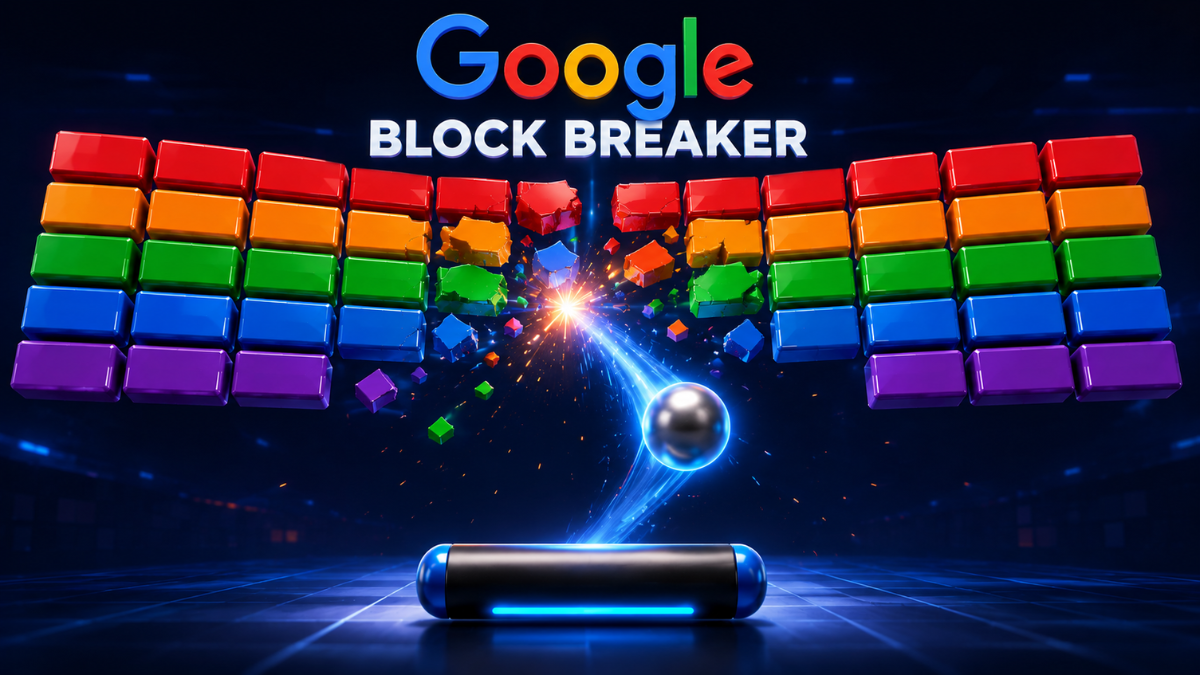
Google Block Breaker is a free browser game in which you move a paddle, bounce a ball, and destroy rows of colored blocks. It runs through Google Search, requires no separate installation, and adds modern power-ups to the familiar brick-breaking formula.
The basic rules take only seconds to understand. Winning longer runs, however, depends on controlled paddle movement, careful positioning, and knowing when a power-up is worth pursuing.
What Is Google Block Breaker?
Google Block Breaker is a built-in Google Search game inspired by classic paddle-and-ball arcade games. The player controls a paddle at the bottom of the screen and uses it to return a bouncing ball toward blocks above.
Every successful hit can damage or destroy a block. The aim is to clear each formation without allowing the ball to fall below the paddle. Google describes the game as a modern take on a classic arcade-style experience.
The game became available through Google Search in January 2025. Searching for “Block Breaker” produced an interactive game card that opened the full experience on desktop browsers, mobile browsers, and the Google app for Android and iOS.
Is Google Block Breaker a Doodle or a Search Game?
Google Block Breaker is more accurately classified as a Google Search Easter egg than a traditional Google Doodle.
Google defines Doodles as temporary changes to its logo that recognize holidays, anniversaries, cultural events, and notable people. Some Doodles are interactive games, but they remain connected to a modified Google logo and appear in Google’s official Doodle archive.
Block Breaker works differently. It appears as a playable feature within Search and has a dedicated Google-hosted game page. Third-party sites often call it a Doodle game because both experiences are associated with Google, but the terms should not be treated as interchangeable.
Why the Game Appeals to Casual Players
The main appeal is immediate access. Players do not have to create an account, learn a complicated control system, or install a large game. They can open the official Google version and begin playing within seconds.
Its short learning curve also makes it suitable for quick breaks. A new player can understand the objective almost immediately, while faster movement, stronger blocks, multiple balls, and special effects create enough difficulty to reward practice.
The retro design is another part of the appeal. Google Block Breaker follows the central idea associated with Atari’s Breakout: a paddle returns a ball toward a wall of blocks. Google’s version expands that format with colored bricks, stronger blocks, additional lives, TNT, a longer paddle, extra balls, and dual blasters.
How Google Block Breaker Works
A new run begins with a paddle, one ball, four rows of colored blocks, a score display, and three lives. Some blocks break easily, while others require more than one hit. Certain marked blocks release upgrades or special effects when destroyed.
The ball travels automatically after launch. You move the paddle horizontally and place it beneath the ball before it reaches the bottom of the screen. When the ball touches the paddle, it rebounds toward the block formation.
Missing the ball costs a life. Extra-life power-ups can extend the run beyond the three starting lives. After the existing formation is cleared, four more rows appear and the game continues. The score remains visible at the top of the screen.
Google has not published a detailed manual explaining every scoring calculation. Claims about fixed multipliers, combo bonuses, secret stages, leaderboards, or a specific final level should therefore not be presented as confirmed features without direct testing.
How to Access Google Block Breaker
Open Google Search and enter Google Block Breaker, Block Breaker, or Brick Breaker. When Google’s interactive game card appears, select the Play button to open the game.
The game card was originally documented across desktop and mobile Search, as well as the Google app on Android and iOS. Google also maintains a dedicated Block Breaker page on its own domain.
No separate gaming app is required for the official browser version. A Google account also does not appear to be necessary simply to open the game.
What to Do When the Game Does Not Appear
First, confirm that the search phrase is simple. “Block Breaker” and “Brick Breaker” were the documented trigger queries when the feature launched.
When the card still does not appear, refresh the results or try a current version of another major browser. Browser extensions, disabled JavaScript, strict privacy controls, an outdated Google app, or regional differences may affect how an interactive Search feature loads.
The Google-hosted game page may also remain available when the Search card does not display. Check the domain carefully before playing. A website is not official merely because its name or page title contains “Google Block Breaker.”
Google Block Breaker Controls
On desktop, the left and right arrow keys move the paddle. The up arrow launches the ball at the beginning of a round. The game initially opens in a smaller overlay, but the window can be enlarged.
On mobile, players can move the paddle by direct touch or by tapping within the play area. The exact feel may vary according to the screen, browser, and device being used.
Some unofficial guides mention mouse movement, trackpad swipes, or the A and D keys. These controls should not be described as universally supported unless they have been tested in the current official version.
For most players, keyboard arrows offer the clearest desktop control because each press creates a predictable movement. Touch controls feel more direct on a phone, but a finger can sometimes cover part of the lower play area.
Power-Ups and Special Features
Power-ups introduce most of the game’s variety. Marked blocks can provide additional balls, extend the paddle, slow the falling balls, create a temporary safety net, grant an extra life, activate TNT, or equip the paddle with blasters.
Multi-ball increases the number of active balls, helping clear blocks from several directions. It can accelerate progress, but it also makes the screen harder to follow.
A longer paddle provides a wider return surface and reduces the precision required to save the ball. It is particularly useful when the game becomes faster.
The safety net offers temporary protection beneath the paddle. Blasters allow the paddle to shoot upward, while TNT damages groups of nearby blocks. These effects can help remove blocks that the ball is struggling to reach.
The practical rule is simple: a power-up is valuable only when collecting it does not cause you to lose the active ball. Protecting the run usually matters more than chasing every falling bonus.
Beginner Google Block Breaker Tips
Keep your attention on the ball rather than watching the paddle continuously. Follow the ball’s downward path and begin moving toward its likely landing point before it reaches the lower part of the screen.
Use short, controlled paddle movements. Large movements often carry the paddle past the correct position, forcing a rushed correction in the opposite direction.
Return toward the middle after making a difficult save. A central position gives you more room to respond when the next bounce is not easy to predict.
During multi-ball play, do not attempt to follow every ball with equal attention. Focus on the ball closest to the bottom of the screen. Losing a bonus ball is less damaging than missing the ball that could keep the run alive.
Power-ups can improve a round, but they should remain secondary to survival. An extra life, safety net, or longer paddle may justify some risk. A weaker bonus may not.
Advanced Google Block Breaker Strategy
One useful approach is to create a narrow opening through the block formation. When the ball passes through that gap, it can travel behind the blocks and produce several hits before returning to the paddle.
Paddle position may also influence the return direction. Contact closer to the paddle’s center generally produces a more direct rebound, while contact nearer an edge can send the ball along a sharper path. The exact response can vary, so use this as a control technique rather than a guaranteed formula.
Harder or isolated blocks deserve early attention. Leaving one difficult block until the end can make a round last much longer because the ball repeatedly travels through empty areas without touching it.
A wider paddle or safety net creates an opportunity for more aggressive play. Without that protection, controlled positioning normally produces more consistent results than constantly aiming for extreme angles.
How to Get a Higher Score
A high score depends first on staying alive. Every saved ball creates more opportunities to destroy blocks, collect upgrades, and continue into later rounds.
Efficiency matters, but speed alone is not the goal. Try to place the ball where it can hit several blocks before returning. Open channels, clustered targets, and the space behind a formation usually offer more value than repeatedly striking an exposed outer block.
Use multi-ball and blaster effects to clear crowded areas, but return to defensive paddle positioning as soon as those advantages end. Players often lose a life because they continue moving aggressively after a temporary power-up has expired.
Google displays a running score, but it has not publicly documented a complete formula for multipliers or bonuses. Avoid relying on third-party claims about exact scoring systems unless the behavior has been independently tested in Google’s official version.
Common Mistakes That End a Run
The most frequent mistake is chasing a power-up while ignoring the ball. A bonus cannot help after the active ball has already fallen below the paddle.
Another problem is unnecessary movement. Constantly sliding from side to side can make the controls feel less predictable. Move with a purpose, then stop when the paddle reaches the likely landing area.
Players also struggle when they remain too close to one edge. Unless the ball is clearly returning there, move back toward a neutral position after each save.
Multi-ball mode creates visual pressure, but panic makes it worse. Protect the most immediate threat instead of trying to process every moving object at once.
Finally, do not assume that all online versions behave like Google’s game. Third-party brick breakers may use different controls, lives, power-ups, scoring systems, advertisements, and progression rules.
Google Block Breaker vs. Atari Breakout
Both games use the same fundamental relationship between a paddle, a ball, and breakable blocks. Google’s game openly follows the style of Atari’s Breakout, but it adds modern browser access and a broader selection of power-ups.
The Google version is best understood as a quick casual experience rather than a deep campaign. Dedicated brick-breaking games often provide designed level maps, permanent upgrades, currencies, difficulty modes, or long-term progression.
Google Block Breaker is the better fit when instant access matters most. A dedicated game may be more suitable for players who want hundreds of structured levels or a more complex progression system.
Can Google Block Breaker Be Played Offline?
The game should be treated as an online Google Search feature. It loads from Google’s servers, and Google does not publicly promise a complete offline mode.
“No download required” does not mean “available offline.” Once a page has loaded, some browser content may continue working temporarily, but that is not the same as official offline support.
Progress saving is also unclear. Google’s public page does not explain whether a score or round survives a refresh, closed tab, browser restart, cleared cookies, or device change. Claims that progress always saves should remain unverified unless supported by controlled testing.
Is Google Block Breaker Safe and Free?
The official Google-hosted version can be opened without purchasing a separate game. The safest approach is to launch it through Google Search or verify that the game is hosted on a genuine Google domain.
Independent websites may legally offer similar brick-breaking games, but they should not present themselves as Google-owned without evidence. Be cautious when a supposed version requests payment details, software installation, browser-notification permission, or an unrelated account registration.
The official game and a third-party clone may look similar while handling advertisements, cookies, analytics, or stored information differently.
Is Google Block Breaker Worth Playing?
Google Block Breaker is well suited to casual players, retro-game fans, and anyone looking for a quick browser game without a complicated setup. It offers more variety than a bare recreation of classic Breakout while remaining easy to understand.
Its simplicity also creates limitations. Google provides little public information about the exact scoring formula, total number of rounds, progress storage, accessibility features, or offline behavior. Players seeking competitive rankings or a long campaign may find a dedicated game more satisfying.
For a short break, however, those limitations matter less. Immediate access and familiar mechanics are the strongest reasons to play.
Conclusion
Google Block Breaker works best as an instant arcade game rather than a complex gaming platform. Search for the official version, learn the basic arrow or touch controls, and focus first on keeping the ball in play.
Once your positioning becomes consistent, use openings, multi-ball bonuses, TNT, blasters, and paddle extensions to clear blocks more efficiently. Just remember that survival matters more than speed. A controlled return usually creates a better high-score opportunity than a risky attempt to collect one more power-up.
You May Also Like Internet Chicks
FAQs
What is Google Block Breaker?
Google Block Breaker is a free Google Search Easter egg in which players use a paddle and bouncing ball to destroy colored blocks and collect power-ups.
How do I start the game?
Search for “Block Breaker” or “Brick Breaker” on Google and select Play when the interactive game card appears.
Can I play on a phone?
Yes. The game was documented on mobile browsers and through the Google app on Android and iOS.
How many lives do I get?
A new run starts with three lives. Extra-life power-ups can add more during play.
What is the best strategy?
Watch the ball, use small paddle movements, return toward the center after difficult saves, and avoid risking a life for every power-up.

Wyvernity Team is a content writing team with 3 years of experience in creating clear, engaging, and SEO-friendly content for Wyvernity.com.